How to Use a Teleprompter Without Sounding Scripted
Last updated: March 15, 2026
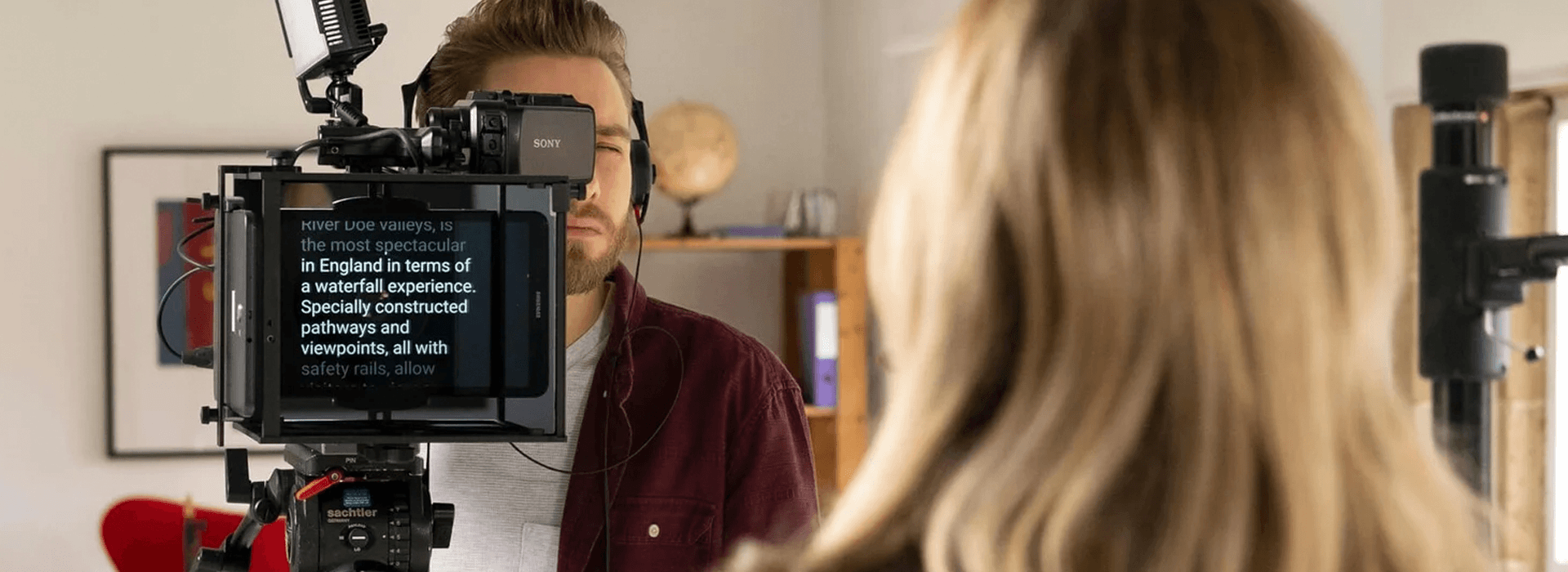
A teleprompter can make filming easier, but it can also make someone sound less like themselves.
That’s usually the real problem. It’s not the presence of a script. It’s when the delivery starts to feel stiff, over-managed, or flat enough that the viewer notices the reading instead of the message.
For most business videos, natural doesn’t mean loose or improvised. It means the speaker sounds believable, keeps a steady connection with the lens, and delivers the message without obvious strain. In the wider context of corporate video strategy for businesses, that matters because strong business videos don’t just say the right thing. They say it in a way that feels credible, clear, and easy to trust.
The biggest reason teleprompter reads sound unnatural
In many cases, the problem isn’t confidence. It’s script language.
A lot of business scripts are written to look tidy in a document rather than sound right out loud. They’re packed with long sentences, formal phrasing, and wording nobody would use in a normal conversation. Then the speaker gets blamed for sounding robotic when they’re really trying to read something that never sounded natural in the first place.
A better teleprompter script usually has these qualities:
shorter sentences
cleaner turns of thought
familiar language
obvious places to pause
words the speaker would naturally use
less filler and less abstract phrasing
One of the simplest checks is still one of the best. Read every line aloud while writing. If it feels awkward in the mouth, it’ll usually feel awkward on camera too.
Here’s a simple example.
Written version
“Our integrated service model enables organisations to unlock greater efficiencies across internal communications and stakeholder engagement.”
Teleprompter-ready version
“We help teams communicate more clearly, both internally and with the people they need to reach.”
The second version isn’t less intelligent. It’s just easier to say, easier to hear, and easier to trust.
Don’t confuse complexity with credibility
This matters even more in sectors where technical language creeps in easily.
Take a law firm, for example. A script may be accurate in legal terms but still be the wrong choice for a viewer if it sounds dense, distant, or overloaded with legalese. The same can happen in finance, healthcare, engineering, and other specialist fields.
A speaker may sometimes reach for more complicated wording because it sounds more impressive on paper. But good communication usually isn’t about showing the full range of someone’s vocabulary. It’s about helping the audience understand the message and trust what they’re hearing.
That doesn’t mean dumbing things down. It means choosing language that fits the audience, the purpose of the video, and the point being made. Clear language usually sounds more confident on camera than inflated language ever does.
Familiarity matters more than people think
One of the most common problems on filming days is that the speaker is reading the script for the first time while the camera is already rolling.
That almost always shows.
If someone hasn’t spent time with the wording in advance, they’re trying to process meaning, rhythm, emphasis, eye line, and nerves all at once. Even a confident person can start sounding cautious and overly controlled.
It helps a lot when the speaker has already read the script aloud before filming and:
knows the overall point of the message
has spotted any awkward wording in advance
understands where emphasis naturally sits
knows whether the wording must be exact or can flex slightly
That familiarity creates room to speak with more ease instead of treating every line like new information arriving in real time.
It also helps answer an important question before the shoot starts. Does this person need to say every word exactly as written, or is there room to move a little?
That distinction matters. Some messages need precision. Others work better when the script is there as support rather than a line by line requirement.
Don’t try to perform the script perfectly
Trying to get every word exactly right often makes people worse on camera.
The jaw tightens. The pace speeds up. The eyes work harder. The voice loses shape. The speaker stops communicating and starts surviving the script.
A better target is this. Know the point of each section well enough that the delivery is driven by meaning, not fear of getting a line slightly wrong.
Viewers usually won’t notice a tiny variation in wording. They will notice tension, flatness, and the feeling that someone is trying not to fail rather than trying to connect.
Natural delivery tends to come from intention, not perfection.
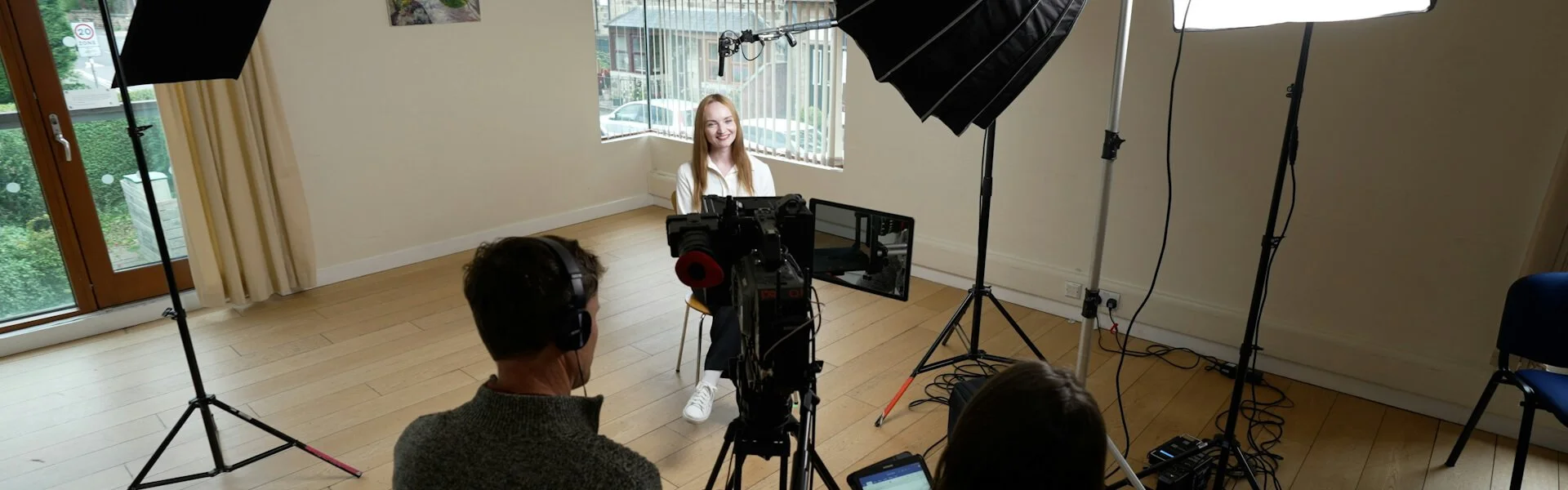
Rehearse in stages, not all at once
A common mistake is using the teleprompter too early.
If the first proper read happens on the teleprompter itself, the speaker is trying to deal with wording, pace, eye line, posture, and nerves at the same time. That’s a lot to carry.
A better sequence usually looks like this.
1. Read the script aloud away from camera
This is where awkward phrasing shows itself quickly. Silent reading doesn’t tell you much about how a line will actually land in speech.
2. Fix any line that catches repeatedly
If someone keeps stumbling over a sentence, it often needs rewriting rather than more brute-force rehearsal.
3. Mark the script for speech
Pause points, emphasis, line breaks, and thought changes can all help. A script that’s been marked up for delivery is usually much easier to inhabit.
4. Then bring in the teleprompter
At that point, the prompter is supporting the delivery rather than carrying it.
That alone can make someone look calmer, because they’re no longer seeing every sentence for the first time while also trying to address the lens.
Write in thought units, not dense blocks
Dense paragraphs are one of the quickest ways to make a teleprompter read feel heavy.
People don’t really speak in written paragraphs. They speak in units of thought. So the script should reflect that.
Instead of this:
“We worked with clients across multiple sectors to develop a more focused communications approach that supported recruitment, internal alignment, and external visibility.”
Break it into something closer to this:
“We worked with clients across different sectors.
The aim was simple.
Help them communicate more clearly.
That meant supporting recruitment, internal alignment, and external visibility.”
It’s still the same message. But it’s easier to read, easier to pace, and much easier to make sound human.
Slow down before the teleprompter forces you to
A lot of teleprompter reads feel unnatural for one simple reason. The speaker is moving too fast.
Sometimes that comes from nerves. Sometimes the scroll speed is too quick. Sometimes there’s a feeling that the script has to be completed rather than delivered.
The result is usually the same:
sentence endings get clipped
emphasis disappears
breathing gets shallower
the face looks more concentrated and less present
A useful rule on set is this. If the pace feels slightly slow in the room, it often looks about right on camera.
Natural speech has shape. It has pauses. It gives important lines room to land. If every sentence arrives at the same speed and with the same weight, the read starts to feel mechanical.
Let the teleprompter follow the speaker
The teleprompter should follow the speaker, not train them into a fixed rhythm.
When the speed is wrong, the speaker starts chasing the text. You can often see it in the eyes and hear it in the voice. Natural emphasis drops away because the person is trying to keep up.
When the speed is right, the text feels supportive rather than demanding.
That’s why the setup matters. Check:
the scroll speed
the font size
whether the speaker is straining to read
whether a dry run has happened before the take starts
Small technical adjustments often do more than vague advice to “just relax”.
Reduce visible eye movement
This is one of the first things people worry about, and for good reason. If the eyes are clearly scanning from side to side, the illusion breaks.
There are a few practical ways to reduce that.
Keep the text close to the lens
The closer the text sits to the camera axis, the more direct the eye contact will feel.
Don’t make the framing too tight
A very tight frame can make small eye movements more obvious. Sometimes giving the speaker a little more room helps the read feel calmer and less pinned in.
Slow the scroll speed
Fast text creates fast eyes. That’s especially noticeable on close framings.
Use a larger, cleaner layout
If someone is searching for the next line, the read will show it.
Read slightly ahead
The aim isn’t to stare at each word as it arrives. It’s to take in the next idea and deliver it. That creates a more connected read and makes the eye movement less reactive.
Keep the delivery alive
A teleprompter can narrow expression because concentration takes over.
The fix isn’t to become theatrical. It’s to let normal communication back in.
That can mean:
pausing briefly before an important line
letting one word carry the meaning rather than stressing every word equally
keeping the face responsive rather than fixed in concentration
finishing the sentence with intention instead of letting it fade away
This is where people sometimes forget how they’d naturally speak if they were addressing colleagues, clients, or a room full of peers. That mental shift can help. Instead of thinking about reading correctly, think about actually saying something to someone.
If the speaker would normally use their hands, some natural movement can help. If they’d normally bring more energy to an important point, that energy should still be there. A teleprompter is there to support delivery, not flatten it.
That matters even more with senior speakers. If a founder, director, or CEO is talking about something that genuinely matters to the business, the delivery needs some life in it. A flat monotone can strip the meaning out of an otherwise strong message.
| If this is happening | It often means | Why it shows on camera | What to do instead |
|---|---|---|---|
| You sound robotic | The script is written for reading rather than speaking | The wording feels unnatural in the mouth, so delivery becomes stiff | Rewrite in shorter, spoken sentences and read every line aloud before filming |
| Your eyes look busy | The scroll speed is too fast or the framing is too tight | The viewer can see you tracking the text rather than addressing the lens | Slow the prompter, increase text size, and check whether a slightly wider framing helps |
| You keep stumbling over lines | The wording is awkward or too dense | You start concentrating on survival instead of the meaning of the sentence | Break the script into shorter thought units and rewrite any line that catches repeatedly |
| You sound flat | You are focusing on accuracy more than communication | Every sentence lands with the same rhythm and emphasis | Mark pauses and key words so you’re speaking ideas, not just following text |
| You feel tense halfway through | You’re trying to deliver a perfect take | Your face tightens, your pace increases, and the read starts to feel controlled | Lower the target to clear and believable, then give yourself room for another take |
| The read feels too polished and unnatural | The script support is too heavy for the speaker and message | The delivery sounds managed rather than lived in | Use lighter prompts or bullet points if the speaker knows the subject well |
Choose the right kind of script support
Not every message needs a full teleprompter script.
In some cases, bullet points are better. In others, a partial prompt is enough. If the speaker knows the subject well and only needs a clear structure, too much script can actually make the delivery less believable.
A full teleprompter tends to help most when:
wording needs to be accurate
the message is dense
filming time is limited
the speaker is more confident with support than improvisation
A lighter prompt tends to help most when:
the speaker knows the topic well
the aim is warmth rather than precision
the format is interview-led
a conversational tone matters more than exact wording
| Script support | When it tends to work best | What often goes wrong | Stronger move |
|---|---|---|---|
| Full teleprompter script | When wording needs to be exact or the message covers a lot in limited time | The delivery starts to sound controlled, dense, or over-rehearsed | Simplify the language, build in pauses, and make sure the speaker understands the meaning behind each section |
| Bullet point prompt | When the speaker knows the subject well and the goal is a more conversational delivery | The message becomes vague, repetitive, or too loose | Use a tight structure with key phrases, proof points, and a clear ending |
| Partial script | When some lines need accuracy but the speaker still needs room to sound like themselves | The tone shifts awkwardly between scripted lines and freer delivery | Decide in advance which lines must stay exact and which parts can flex naturally |
A better filming mindset
A lot of people try to beat teleprompter nerves by forcing confidence. That rarely works.
A better approach is to lower the burden.
The speaker doesn’t need to sound like a presenter. They don’t need a perfect take. They don’t need to remove every sign that a script exists.
They need to sound clear, settled, and believable.
That’s a more realistic standard, and it usually produces better work.
If the read feels a bit too polished and a bit less human, loosen the script. If it feels underpowered and vague, tighten the structure. The strongest performances often sit in that middle space where the wording is prepared but the delivery still feels inhabited.
That’s also why broader on camera performance matters. Things like posture, pace, presence, and vocal energy still shape how believable a teleprompter read feels once the script and setup are doing their job.
A practical checklist before you press record
Before filming, check the following:
the script has been read aloud and simplified where needed
the wording sounds like the speaker, not a committee
technical or specialist language has been translated into language the audience will actually understand
the speaker has seen the script in advance and isn’t meeting it for the first time on set
paragraphs have been broken into short thought units
pause points and emphasis have been marked clearly
the prompter speed has been matched to the speaker
the framing isn’t so tight that eye movement becomes obvious
a short test recording has been reviewed
the speaker understands the point of each section, not just the words
there’s enough time for another take if the first one feels too controlled
Final thought
The best teleprompter performances don’t hide the tool through tricks.
They hide it by making the message feel lived in.
That usually comes from three things. A script written for speech. A setup that supports the speaker rather than pressuring them. And enough familiarity that attention can return to meaning, not survival.
Get those right, and the viewer is far less likely to think about the teleprompter at all.